- Open Google Chrome or your preferred chromium browser on your computer. In the address bar, browse to chrome://extensions
- You may also go to the menu in the top right corner and choose More Tools->Extensions
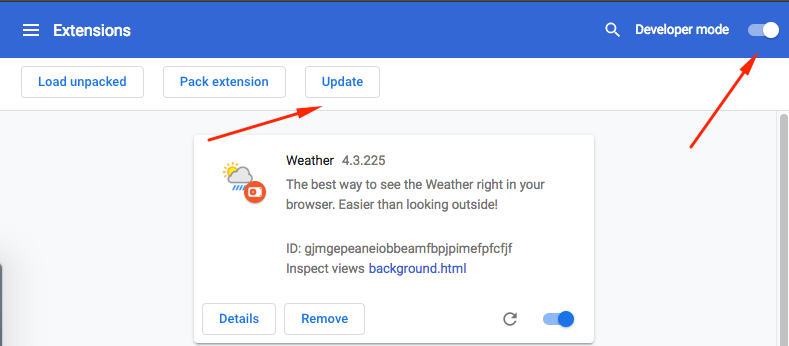
- In the top right corner of the extensions page, check Developer mode. Click Update extensions now under Developer mode.
English
![CarFilm-Favicon-Navy.png]](https://help.getcarfilm.com/hs-fs/hubfs/CarFilm-Favicon-Navy.png?height=40&name=CarFilm-Favicon-Navy.png)